

Prefer Plus
A premium WordPress theme for the blog. Prefer Plus is a free grid layout WordPress theme. This theme has a masonry layout as well…
Updated August 25, 2026 Version 1.0.7 WordPress Theme

Overview
A premium WordPress theme for the blog. Prefer Plus is a free grid layout WordPress theme. This theme has a masonry layout as well as the full-width layout too. In addition to that, it has sidebar options, header options, footer options, logo options, and many more. Moreover, it has a primary color option to customize the theme color.


Features of Prefer Plus – Grid WordPress Theme
- Customizer based settings
- Responsive layout
- Masonry design
- Grid layout
- Alternative layout
- Top header menu
- Footer Menu
- Multiple sidebar options
- Copyright Text
Check the theme settings from here directly. Click on Customize Style and see the available options there.
This premium version will come with multiple pricing options. You can purchase a single theme license for a year, multiple licenses as well, and an unlimited licenses too. Based on the license you purchase, you will get similar support and updates.
Features of Prefer Plus Vs Free
- Site Layout
- Site Skin
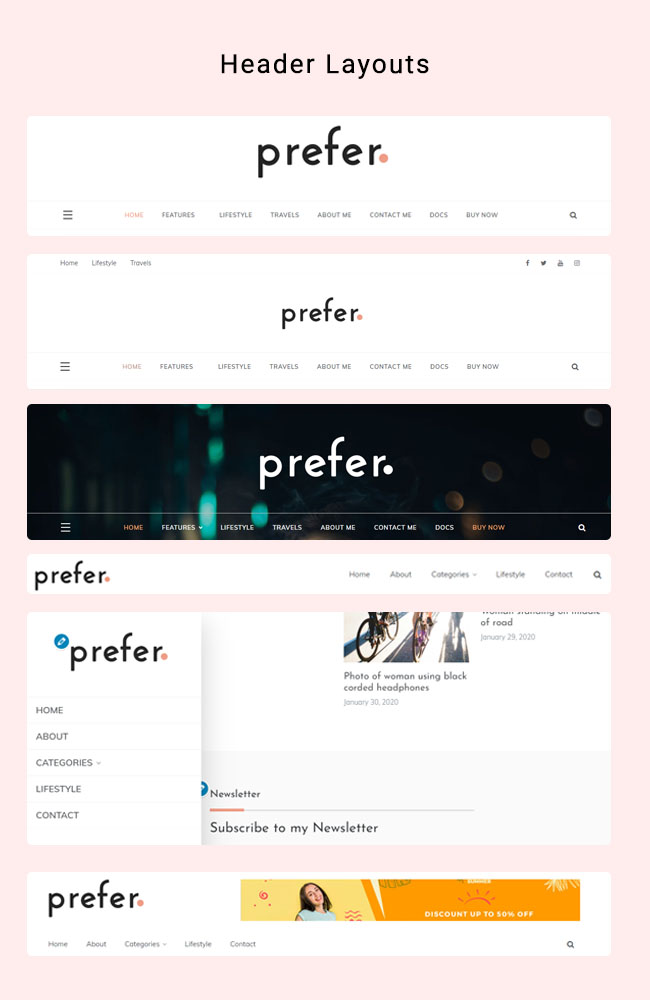
- Header Types
- Top Header
- Header Advertisement
- Left Logo and Right Menu
- Sticky Menu
- OffCanvas Menu
- Header Search Icon
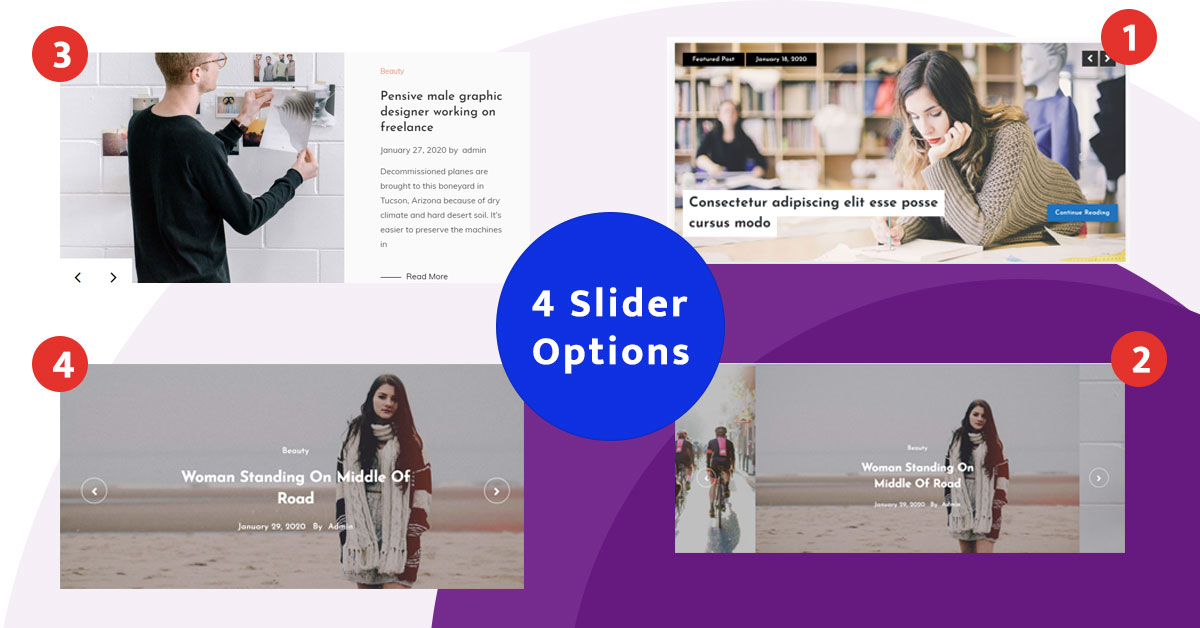
- Slider Types
- Full Width Slider
- Slider Effect
- Transation Delay
- Number Of Slides
- Read More Text in Slider
- Enable Previous and Next in Slide
- Enable Auto Slide
- Promotional Boxes below Slider
- Boxes Types
- Post Number in Boxes
- Enable Slide in Boxes
- Sidebar Options
- Right, Left, No and Middle Col Sidebar
- Blog Layouts
- Blog Grid Layout
- Blog Two Column
- Blog Left Image
- Blog Full Image
- Blog Page Image Layouts
- Blog Page Content Display Option
- Excerpt Length
- Pagination Types
- Read More in Blog Page
- Read More Button Design Types
- Drop Cap Option
- Date Option
- Show Author
- Show Category
- Show Tags
- Enable Featured Image on Single Page
- Show Hide Comment Box
- Sidebar Options on Single Page
- Drop Cap Option
- Bio Description
- Related Post
- Related Post Title
- Related Post Number
- Show Date in Related Post
- Show Image in Related Post
- Sticky Sidebar Option
- Sidebar Tittle Design
- Footer Isntagram
- Copyright Text
- Proudly Powered Text
- Breadcrumb Option
- Font Options
- Paragraph Font
- Paragraph Font Size
- Paragraph Line height
- Paragraph Leter Spacing
- Paragraph font Weight
- Heading Font and Settings
- Heading Font Settings
- Menu Location
- Menu Font Setting
- Colors
- Primary Color
- Other Section Color
- Header Image
- Logo
- Social Share
- Author Widget
- Social Widget
- Featured Post Widget
- Popular Post Widget
- Post Tabbed Widget
- Post Slider Widget
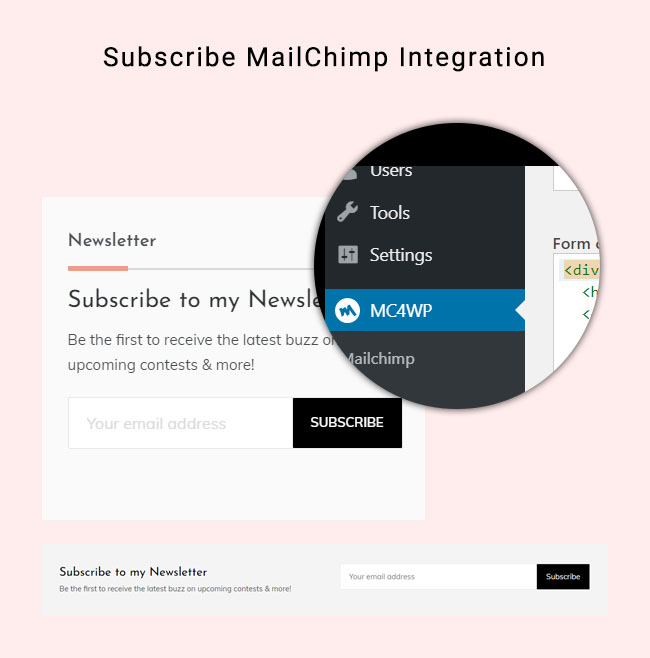
- MailChimp Subscription
- Elementor Compatible
- Theme Load Time
- SEO
- Code Quality
- Support
- Demo Import
- Skip Links Accessibility
- Documentation
Prefer Plus
$
49
/Premium Version
- Boxed and Full Width
- Default and Dark
- 3 Different Header Types
- Available with menu and Social Icons
- Yes – Image and Google Adsense
- Yes Available
- Yes
- Yes
- Yes
- Two Types
- Yes
- Fade and Vertical
- Yes
- Yes
- Yes – Available
- Yes
- Yes
- Yes
- 3 Different Design
- Yes
- Yes
- Blog Page and Single Page
- Yes
- 4 Different Blog Design
- Yes
- Yes
- Yes
- Yes
- 3 Different Layouts
- Excerpt, Content or Hide
- Yes
- 3 Types and Hide Option
- Yes
- 3 Different Types
- Yes
- Show and Hide
- Show and Hide
- Show and Hide
- Show and Hide
- Yes
- Yes
- Yes
- Yes
- Yes
- Yes
- Yes
- Yes Option Available
- Yes
- Yes – Show and Hide
- Yes
- Yes – 4 Types
- Yes – Use Plugin Shortcode
- Yes
- Customize and Write own
- Yes
- Heading and Paragraph
- More than 100 Different fonts
- Option to change
- Yes Option to change
- Yes
- Yes
- (Individial for H1 – H6)
- Available All
- Primary, Top, Footer and Social
- Yes
- Yes
- Yes
- Yes Available
- Yes
- Yes
- Yes
- Yes
- Yes
- Yes
- Yes
- Yes
- Yes
- Yes
- Yes
- Less than 1 Second
- Optimized
- Reviewed by Reviewer
- Dedicated Via Email and Live Chat
- Yes One Click Demo Import
- Yes
- Yes
Prefer
$
0
/Free Version
- Default Full Width
- Default Skin
- Default Header
- Not Available
- Not Available
- No Only Logo Center
- No
- Yes
- Yes
- Default
- No
- Default
- Default
- No
- No
- No
- No
- Yes
- Default One
- No
- Default
- Blog Page and Single Page
- Yes
- 2 Different Design
- Yes
- No
- Yes
- No
- 2 Different Design
- Excerpt or Content
- Yes
- 2 Types
- Yes
- Default
- No
- No
- No
- No
- No
- Yes
- No
- Yes
- No
- No
- Yes
- Yes
- No Default
- No Default
- No Default
- Yes
- Default
- No only on Sidebar
- Yes
- No Option
- Yes
- Default
- Default Muli
- Default
- Default
- Default
- Default
- Default
- Default
- Primary, Footer and Social
- Default
- Yes
- Yes
- Default
- Yes
- Yes
- Yes
- Yes
- Yes
- Yes
- No
- No
- No
- Yes
- Yes
- Less than 1 Second
- Optimized
- Reviewed by Theme Review Team
- Dedicated Via Email
- Demo Data Available
- Yes
- Yes
Features
- Customizer based settings
- Responsive layout
- Masonry design
- Grid layout
- Alternative layout
- Top header menu
- Footer Menu
- Multiple sidebar options
- Copyright Text
Specifications
- Version
- 1.0.7
- Product type
- WordPress Theme
- Layout
- Responsive
- Columns
- Grid Layout, Two Columns, Three Columns, Four Columns
- Compatible with
- BootStrap 4.0, Wpml, BuddyPress 2.5.x
- Browsers
- IE11, Firefox, Safari, Opera, Chrome, Edge
- High resolution
- No
Documentation
Getting started
- 1 Download the .zip file — it arrives on screen and by email as soon as checkout completes.
- 2 In WordPress go to Appearance → Themes → Add New → Upload Theme.
- 3 Choose the zip, then select Install and Activate.
- 4 Follow the setup notes bundled with the theme to import demo content and set your options.
Setup notes ship inside the download itself, so the documentation always matches the version you have.
Get support for this productChangelog
-
1.0.7
July 20 2022- Tested with WordPress 6.0
-
1.0.6
Feb 10 2022- Tested with WordPress 5.9
- Fixed widgets block support
-
1.0.4
April 06 2021- Added Rank Math Breadcrumb compatibility
-
1.0.3
February 03 2021- Added option for header image
- Header image height option added
- Header overlay color added
- Default date for copyright changed
-
1.0.2
January 06 2021- Added option for hamberger menu in mobile view
- Option to change the Menu text in mobile view
- Tested with WordPress 5.6
- Tested with PHP 7.4
- Change default copyright text date
-
1.0.1
September 06 2020- Fixed Masonry Issues
- Update Screenshot
-
1.0.0
July 25 2020- Initial release
Tagged
Frequently asked questions
How do I get the files after paying?
Checkout runs through Freemius. The moment payment completes your download links are delivered instantly — on screen and by email.
Can I try it before I commit?
Yes — the live preview is the real product running, not a mockup. Click through it as much as you like before deciding.
What do I need to run it?
A self-hosted WordPress site. Upload the zip from your WordPress dashboard and activate it — no extra build tools required.
How many sites does a licence cover?
That is set by the plan you choose at checkout — each Freemius plan states exactly how many sites it covers, and you can move up to a larger plan later.
Where do I get help?
Setup notes ship inside the download, and the support link on this page reaches us directly for anything they do not cover.
You might also like
More from Blog / Magazine / News


Ready to build with Prefer Plus?
Checkout takes a minute through Freemius, and your files are delivered instantly.